Thank you for writing to us. One of our executive will reach back to you through your submitted medium. In case there’s an urgency, feel free to connect over WhatsApp for faster response.
Prefer calling? Dial +918042755549 (International callers) or 08042755549 (Indian callers).
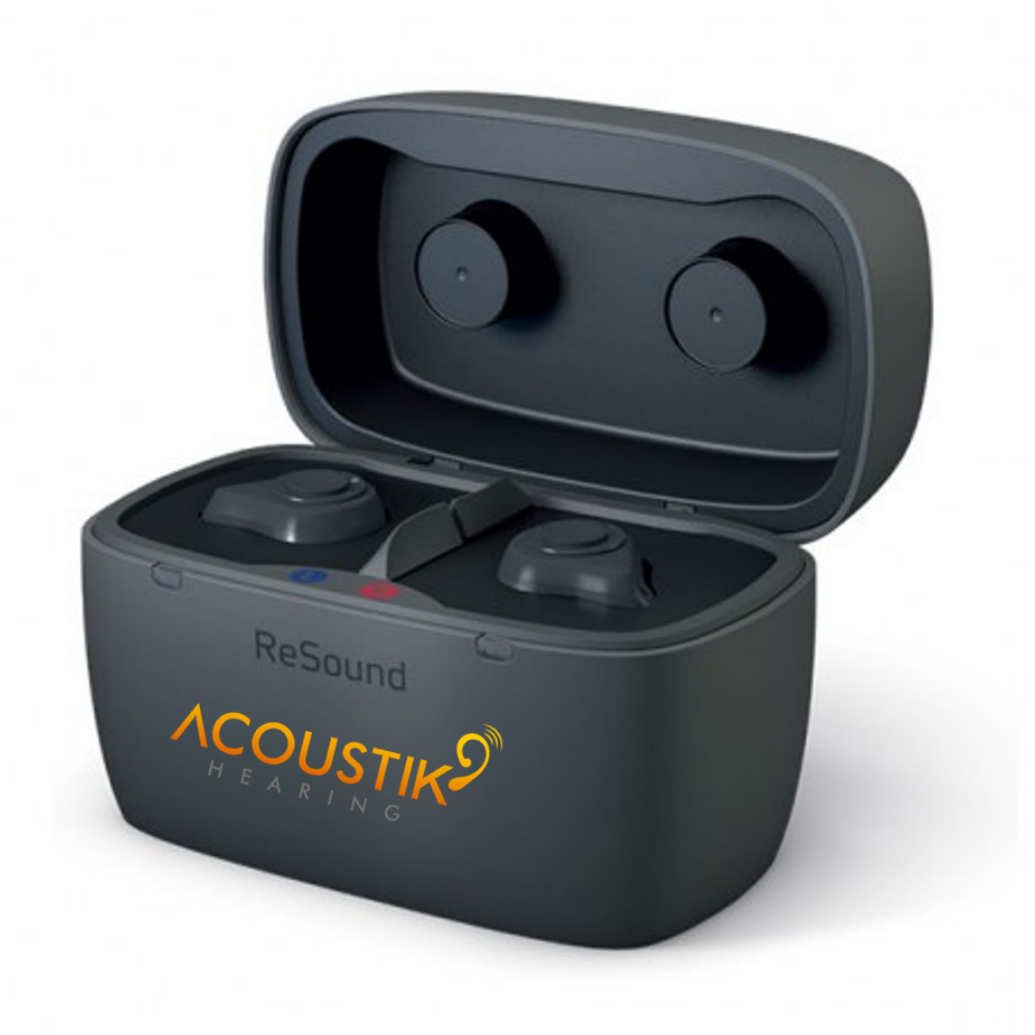
Charging ReSound custom hearing aids involves a few straightforward steps, primarily centered around using the ReSound custom charger. Here's a breakdown of the process, based on the information gathered:
Key Steps:
Prepare the Charger:
Connect the ReSound custom charger to a power source using the provided USB cable and power supply plug.
Place the Hearing Aids:
Open the charger lid.
Carefully place the left hearing aid into the charging bay marked "L" and the right hearing aid into the bay marked "R."
Ensure the hearing aids are fully inserted into the charging bays.
Initiate Charging:
Close the charger lid.
The built-in LED light on the charger will illuminate, indicating that charging has begun.
Charging Indicators:
The charger's LED lights will provide information about the charging status.
It is often recommended to charge the hearing aids over night.
Important Considerations:
Always use the charger provided by ReSound.
Ensure the hearing aids are dry before placing them in the charger.
Keep the charger and hearing aids away from extreme temperatures and moisture.
Key Features of the ReSound Custom Charger:
Designed specifically for ReSound custom hearing aids.
Uses induction technology for efficient charging.
Provides up to 24 hours of power on a full charge.
Features clearly marked left and right bays.
Includes an LED light to indicate charging status.
Follow us for more tips on
https://www.facebook.com/acoustikhearingandspeech
https://www.instagram.com/acoustikhearingandspeech
https://twitter.com/Acoustikhearing
https://in.linkedin.com/company/acoustikhearing
https://www.youtube.com/@AcoustikHearing